


Top Web Dev Qualities You Actually Need to Know

A smiling man with a beard holding a tablet, sitting in a modern office, while another person hands him a coffee. Text on the image reads: "Hire Smarter, Build Faster. Your 2025 Guide to Look Top Qualities in a Web Developer."

Think web developers just write code?
In 2025, they shape your digital brand, customer experience, and your bottom line.

You’re not just looking for someone who can write code.

You need a digital architect: a rare blend of technical wizardry, creative problem-solving, and business savvy.

Because in 2025:

  • AI writes basic code.
  • Users expect lightning-fast, app-like websites.
  • Security threats evolve daily.

So how do you spot the most important web developer skills? Let’s cut through the noise.

Full-Stack Depth + Specialization

The best developers know the whole stack but master one layer.

Look for:

  • Front-end: React 19+, Svelte, or Vue 4 with Web Components.
  • Back-end: Node.js (Deno gaining traction), Python (FastAPI), or Go.
  • Bonus: Serverless (AWS Lambda, Vercel Edge Functions).

If you hear any of this from them, “I just use WordPress page builders”  or “Our last ‘full-stack’ dev struggled with API optimizations. Our new specialist reduced latency by 300ms just by tweaking database indexes.” run!

Obsession with Performance

Google now penalizes slow sites, which can cost you rankings and revenue.

Must-have skills:

  • Core Web Vitals mastery (LCP, INP, CLS).
  • Image optimization (AVIF/WebP, lazy loading).
  • Edge caching & CDN strategies.

If you hear something like, “It loads fine on my machine,” end it right there!

User Experience has nothing to do with your dev’s $3K MacBook.

Security as a Habit

One breach can destroy trust and your business.

Never compromise on the following:

  • OWASP Top 10 expertise, such as SQLi, XSS, and CSRF.
  • Auth best practices, such as OAuth 2.0, and JWT rotation.
  • Dependency hygiene (No more left-pad disasters).

Do not fall for their “We don’t need HTTPS for this internal tool.”

API Whisperer

Modern apps live and die by integrations like Stripe, Twilio, and Slack.

You should look for the following key skills:

  • REST & GraphQL design.
  • Webhooks & real-time data such as Socket.io, and Server-Sent Events.
  • API documentation such as Swagger or Postman.

If your dev says, “I’ve only worked with hardcoded JSON,” you should look for a better one.

Mobile-First Mindset

72% of users browse on phones, but most devs still design for desktop.

Look for:

  • PWA (Progressive Web App) experience.
  • Touch-friendly UI instincts.
  • Testing on real devices, and not just Chrome DevTools.

If your dev says, “We’ll make it responsive later,” know that later never comes.

Git Mastery

No version control means code chaos.

Look for the following green flags:

  • Rebasing, cherry-picking, and conflict resolution.
  • Meaningful commit messages and not “we fixed a bug”
  • GitHub/GitLab CI/CD pipelines.

If your dev is happy to declare that “I email ZIP files of code,” run!

Soft Skills: Explaining Tech Like You’re 5

If they can’t translate tech to business value, you’re flying blind.

Look for the following must-haves:

  • Clear documentation habits.
  • Patient teaching style so they are fine with demonstrating their ideas.
  • Active listening and not just waiting to talk.

A huge red flag is when you dev says. “You wouldn’t understand.”

Future-Proof Learning

Tech is volatile. It changes fast. You need someone who keeps up.

Look for:

  • Side projects with new tech such as WASM, Web3, and AI APIs.
  • Blog or Twitter where they share learnings.
  • Certifications are nice to have, but not required.

If your web developer says something like, “jQuery is still the best,” remind them that it’s 2025, just in case they’re stuck in 2014.

ROI-First Thinking

Great devs ask: “What does success look like for your business?” or “How will this feature move the needle?”

They care about your KPIs, not just your codebase. Search for the following web development expertise:

  • Questions about your KPIs.
  • Cost-effective solutions, and no over-engineering.
  • Post-launch support mindset.

If your dev says, “I don’t care about the business side,” clearly they don’t care about their work.

Debugging Intuition

Anyone can write code, but finding and fixing bugs under pressure? That’s an art.

Strategic developers don’t panic when things break. They stay calm, think clearly, and dig deep until they find the real issue.

  • Methodical problem-solving.
  • Browser DevTools mastery.
  • Performance profiling skills.

And if their first move is: “I’ll just restart the server,” is a brand-aid, not a real solution to your problem.

Frequently Asked Questions (FAQs)

Q1. What’s the difference between a good and a great web developer?

Ans: A good web developer makes do with single-entry bookkeeping. He gets the job done, but gives limited insight. A great web developer masters double-entry. He sees connections between code, UX, and business impact. He will provide you with deep and holistic business insights.

Q2. Which soft skills matter most in web development?

Ans: Web developers need to balance their technical and soft skills to serve you best:

  1. Communication to explain tech like you explain the accounting equation.
  2. Debugging Intuition to proactively sense errors and correct them beforehand.
  3. Business Empathy to see beyond code to ROI, like linking expenses to revenue.

Q3. How do I evaluate a web developer before hiring?

Ans: Audit their skills like you would audit accounts. Check for their Git commit history, ask for API design samples, and dig into their performance testing approach.          

Q4. What technical skills should every web developer have?

Ans: These are your non-negotiable website development skills:

  • Frontend and Backend must be up to the mark.
  • Security Protocols for fraud prevention and data breaches.
  • CI and CD Pipelines to automate repetitive data and operations.

Q5. What are the most important qualities of a good web developer?

If anything, look for the following web developer skills:

  • Debugging mastery.
  • Empathy for users.
  • Adaptive learning.

Remember: Balancing technical/soft skills builds unstoppable teams.

Conclusion

In 2025, code is everywhere, but real impact comes from the people behind it. The best developers don’t just ship features. They ask why, who it’s for, and how it moves your business forward. So don’t settle for someone who can just push code. Look for someone who solves problems, owns outcomes, and moves the needle. When you prioritize developers who combine tech depth with business instinct, you don’t just ship, you grow. A cheap dev costs you 10x in fixes. A great one becomes your secret weapon.

Need a dev who ticks all the boxes?

14K Business Solutions is your perfect match.

Categories

Share

Related blog

your next reading

Lorem ipsum dolor sit amet, consectetur adipiscing elit. Ut elit tellus, luctus nec ullamcorper mattis, pulvinar dapibus leo.

How to Reduce Google Ads Spending PPC Optimization Guide

How to Reduce Google Ads Spending: A Practical PPC Optimization Guide for Small Businesses

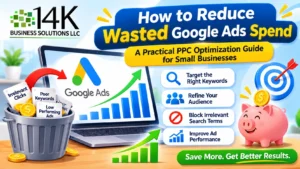
A lot of small business owners say the same thing: they put money into Google Ads, get plenty of clicks, and then wonder where the budget went. It’s frustrating. You’re paying for traffic, but not all of it is worth having. If you want to learn how to reduce Google Ads spending, the good news is that you don’t have to shut your ads down. You just need to stop paying for clicks that were never going to turn into customers. Look at What You’re Actually Paying For Start with your search terms report. It shows many of the actual searches that triggered your ads, although Google doesn’t display every search term. You might find searches that have nothing to do with your business, or people looking for something you don’t offer at all. Every one of those clicks costs you money. Then look at your keywords. Some will bring in calls and orders. Others will collect clicks month after month and never produce a single lead. Once you can tell the two groups apart, you know exactly where to cut. Add Negative Keywords Negative keywords help prevent your ads from appearing for searches you don’t want to target. A business that sells paid services might block words like free, jobs, or tutorial, since those searchers rarely become customers. Make it a habit to check your search terms every week or two. Whenever you spot a phrase that doesn’t fit, add it to your negative list. It takes a few minutes, but it can make a real difference. Reviewing negative keywords regularly is one practical way to reduce wasted Google Ads spending without unnecessarily limiting relevant traffic. Be Careful With Match Types Match types decide how closely a search has to match your keyword. Broad match can reach a wider range of relevant searches, including searches that don’t contain your exact keyword. That wider reach can also bring in searches that aren’t a good fit for your business. Phrase match and exact match offer more control over which searches can trigger your ads, although they don’t automatically guarantee better leads. When your budget is small, that trade is often worth making. You can always loosen things up later once you know what works. Improve Your Ads and Landing Pages Google’s Quality Score is a diagnostic measure based on expected click-through rate, ad relevance, and landing page experience. Improving these areas can support better ad performance, but a higher Quality Score doesn’t guarantee a lower cost per click. The idea is simple. Write ads that answer what the person searched for, and send them to a page that carries on the same message. If the page is slow, cluttered, or has nothing to do with the ad, people leave right away. You’ve paid for the click and got nothing back. Check that your page loads quickly, looks fine on a phone, and makes it easy to call, book, or buy. Fix Your Targeting Targeting settings hide more waste than most people expect. If you only serve a few areas, review your location targeting settings. Consider targeting people in or regularly in your service area rather than also reaching people who have shown interest in it. There’s no benefit in paying for clicks from people you can’t help. Timing matters too. If your office is closed at night, review whether those hours generate valuable leads or sales. You may want to adjust your ad schedule based on actual conversion performance rather than business hours alone. Your reports will show which days and times work best. Device settings are worth a look as well. If people on mobile click a lot but rarely contact you, review mobile performance and make adjustments supported by your bidding strategy. Use Budgets and Bids Wisely Splitting a small budget across lots of campaigns usually means none of them get enough to work properly. It’s smarter to put more money behind the campaigns that perform and pause the ones that don’t. Bidding deserves attention too. Automated strategies such as Maximize Conversions use Google’s signals to optimize bids for conversions. Their effectiveness depends on your conversion tracking, campaign settings, and available data. Manual bidding offers more direct control in eligible campaigns, but it isn’t necessarily the best choice for every new account. Whichever you choose, keep an eye on it. Track What Matters It’s hard to cut waste when you can’t tell what’s working. Set up conversion tracking for the things that matter to your business, like phone calls, form submissions, and purchases. With that in place, you can compare the cost of each lead or sale across campaigns. Sometimes a keyword with an expensive click brings in the best customers, so it deserves to stay. Judge your keywords by the leads, sales, or other valuable actions they generate, not only by what each click costs. Final Thoughts Wasted ad spend is rarely caused by one big mistake. It usually builds up from small things that go unnoticed. When you block the wrong searches, tighten your settings, improve your pages, and track real results, you get a clear picture of how to reduce Google Ads spending and still bring in quality leads. If you’d rather have someone else handle the work, 14K Business Solutions is here to help you get more out of every ad dollar.

Read More »
How to Handle Negative Google Reviews and Protect Your Reputation

How to Handle Negative Google Reviews and Protect Your Business Reputation Online

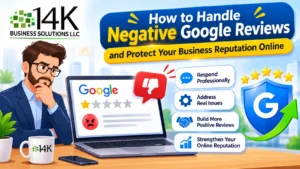
Getting a bad review on Google is never fun. You spend months, sometimes years, building a business, and then one unhappy customer leaves a few angry lines for the whole world to see. Most owners feel upset for the rest of the day. But a single review doesn’t have to cause lasting harm. Once you understand how to handle negative Google reviews, you can respond in a way that makes your business look better. Why These Reviews Matter People check Google before they do almost anything else. They want a plumber, a dentist, or a restaurant, and they usually look at the star rating first. If something looks off, they move on to the next name on the list. Google reviews also play a role in local search visibility. Google says more reviews and positive ratings can help a business’s local ranking, although responding to reviews isn’t a guaranteed ranking boost. Don’t Reply Right Away When you first read a harsh review, your face probably gets warm. You want to explain yourself immediately. Try not to. Replies written in anger usually sound defensive, and they stay online for good. Go for a walk, finish some other work, and come back later. When you read the review again, look for the real complaint underneath the anger. Sometimes the customer has a fair point you missed. Other times, they simply misunderstood something. Either way, you’ll write a better answer with a clear head. Write a Short and Kind Reply Aim to answer within a day or two. Start by thanking the person for sharing their experience, and say you’re sorry they had a bad time. You don’t have to agree with every detail to do that. Then mention the main issue they raised so they know you actually read it, and say what you can do to make it right. If the problem is complicated, give them a phone number or email address so you can sort it out privately. Keep the whole reply brief. You’re writing to the upset customer, but plenty of future customers will read it too. They’ll see how you treat people when things go wrong, and that often matters more to them than the review itself. Things to Avoid Never argue with a reviewer in public, even if they’re wrong. It makes you look bad no matter who is right. Don’t share private details about their order or account. Don’t offer a discount or gift in return for changing the review, because Google’s rules don’t allow it. And don’t ignore the review completely. A complaint with no reply can look like you don’t care. Reporting Fake or Unfair Reviews Some reviews just aren’t real. Some may come from fake accounts, competitors attempting to manipulate ratings, or people describing experiences that never happened. Others include spam, threats, or offensive language. If a review clearly breaks Google’s content policy, you can report it from your Google Business Profile. However, Google won’t remove a review simply because it’s negative or you disagree with the customer’s opinion. Reviews generally need to violate Google’s policies to qualify for removal. Be patient, though. Google can take days or weeks to look at it, and sometimes the review stays up. While you wait, you can respond professionally and invite the reviewer to contact your business directly. Readers will notice that you stayed calm. Learn From the Feedback Not every bad review is the customer’s mistake. If three or four people mention slow service, confusing prices, or poor communication, something probably needs fixing. Share the comments with your team and decide what to change. Customers who see that you listened are often willing to try you again. Knowing how to handle negative Google reviews isn’t only about writing replies. It’s also about fixing the problem behind them. Collect More Good Reviews The easiest way to make one bad review matter less is to have plenty of good ones. After completing a job or sale, invite customers to share their honest experience on Google, regardless of whether their feedback is positive or negative. A short thank-you message with a direct link to your profile makes it simple for them. Ask regularly instead of all at once, so your profile grows in a natural way. As the good reviews pile up, a single bad one barely changes your average. Keep Watching Your Reputation Checking your profile once in a while isn’t enough. Check your Google Business Profile notification settings and enable review alerts where available. Review your feedback regularly so you don’t miss customer concerns. Look at Facebook, Yelp, and other sites where customers talk about you. Spending ten minutes a week on this makes it much easier to protect your business reputation online, because you can step in before a small complaint turns into a bigger one. Final Thoughts Every business gets criticism sooner or later. It’s part of working with the public. What matters is how you react. If you stay calm, reply with respect, learn from what people say, and keep earning good reviews, your reputation will stay strong. It takes patience, but it gets easier with practice. If all of this feels like too much to handle, 14K Business Solutions is here to help. We can handle review management and reputation building so you can focus on running your business.

Read More »
content repurposing strategy

Content Repurposing Strategy for Blog Posts Into Multiple Pieces of Marketing Content

You spent hours on a blog post. You picked the topic, wrote the draft, fixed the mistakes, and hit publish. A week later, it’s sitting on your website with barely any traffic. That happens to a lot of good posts. One post can do much more for your business than you think. With a simple content repurposing strategy, you can turn it into many pieces of marketing content and reach more people without starting from scratch. Why Reusing Your Content Works People like to take in information in different ways. Some read articles. Some scroll social media. Others watch videos or listen to audio while they drive. If you only publish a blog post, you miss everyone who prefers something else. Sharing the same idea in a few formats helps you reach each group. It also saves time, since the hard part of coming up with the idea is already done. Your message stays the same everywhere, which helps people remember your brand. Pick the Right Post to Start With Not every post is worth reusing. Look at your website stats and find articles that get steady visits, shares, or comments. These posts have already shown that people care about the topic. Posts that stay useful for a long time are the best choice. Guides, tips, and beginner advice work well. A post about a news event or a passing trend will get old fast. A good content repurposing strategy always begins with a strong post. Break the Post Into Small Parts Read your post again and treat it like a set of small ideas. Each section, tip, or number can stand alone. If your post has five main points, you already have five topics for new content. Pull useful quotes, facts, and advice into one document. Keep the list somewhere easy to find. Having it ready makes the rest of the work much quicker. Share It on Social Media Social media is the easiest place to begin. Take one tip from your post and write a short caption about it. Post a different tip on another day, then share a fact or a short story. Where the platform allows it, link back to the full article for readers who want more. On Instagram, you can direct people to the link in your bio. Every platform has its own style. LinkedIn works well for professional insights and industry discussions. On Instagram or Facebook, you might turn a key takeaway into a graphic with a short caption. Simple images with a quote or a tip also catch attention while people scroll. Make Videos and Images Many people understand an idea faster when they can see it. If your post explains a process, you can turn the steps into an infographic. Free design tools make this easy, even if you have never designed anything. Short videos are another good choice. You can record yourself talking through the main points in two or three minutes. A phone, good light, and a quiet room are all you need. You can also turn a section of your post into a slideshow with text and soft music. Use Email and Audio Your email list is a great place to share your content again. Instead of sending the whole article, write a short email with the best tip and a link. You can even send one idea a day for a week. Audio is also worth trying. Read the post aloud, or talk about it in a relaxed way and share it as a podcast episode. Some people listen while they walk, drive, or cook. This lets you reach people who may never visit your blog. Create Bigger Resources After you have several posts on the same topic, you can join them into something bigger. A free ebook, a checklist, or a full guide works well. Visitors can download it by sharing their email address, which helps you grow your list. You can also turn a post into a live webinar. Go through the main points, answer questions, and share the recording later. People trust brands more when they can see and hear the person behind them. Keep Everything Fresh Reusing content does not mean copying the same words everywhere. Change the wording so it fits each place. Update old numbers and add new examples. This keeps your content repurposing strategy useful and stops people from feeling like they have seen it before. It also helps to plan a simple schedule. Spread your new pieces over a few weeks instead of posting them all at once. Watch which formats get the most attention, then do more of those. Final Thought One blog post can become social posts, a video, an email series, a podcast, and even a free guide. Start with a strong post, split it into parts, and share it in ways your audience enjoys. A little planning can make your best ideas work much harder for you. If you want help building a content plan that fits your business, 14K Business Solutions is here to support you. Their team can help you get more value from every piece you create.

Read More »
Email Marketing Automation for Small Businesses

How Email Marketing Automation for Small Businesses Turns Subscribers Into Paying Customers

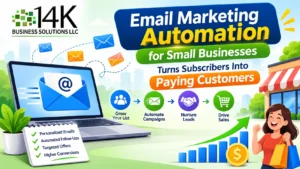
Most small business owners are happy when their email list starts growing. Then reality sets in. People sign up, you send a few emails when you remember, and sales stay slow. It’s not that your subscribers don’t like you. They just need more attention than a busy owner can give by hand. That’s why email marketing automation for small business is worth a look. It handles follow-up emails based on the timing and triggers you set. What Automation Means Email marketing automation is a way to send emails without pressing send every time. You write your messages ahead of time and choose what should trigger each one. For example, a new subscriber gets a welcome email, and a customer who just bought something gets a thank-you note. Once you’ve set up the workflow, the software sends those emails automatically while you focus on running your business. Why Small Teams Need It Small businesses rarely have a marketing department. Usually, it’s one or two people doing everything. Writing individual emails takes hours, and those hours are hard to find. Automation gives some of that time back. It keeps you in touch with your audience. If people only hear from you once in a while, they forget who you are. When your emails show up on a steady schedule, your name becomes familiar. People are more comfortable buying from a business they already know, and that familiarity is built one email at a time. Start With a Welcome Email The first email you send matters a lot. Someone just signed up, so they’re likely paying attention, and welcome emails often get strong engagement. Say thanks, tell them what kind of emails to expect, and share a bit about your business in a few simple sentences. A small discount on a first order can help, but it isn’t required. Many businesses send two or three welcome emails over the first week. That gives new subscribers a chance to get to know you without feeling like you’re rushing them to buy. Send Emails Based on Behavior This is where automation helps. Instead of sending a single email to your entire list, you can target based on the actions each person takes. Say someone clicks on a product they like. You can send them a short follow-up with a bit more detail about it. Or, if a shopper leaves something in their cart, a quick reminder a few hours later can bring them back. These emails can feel more relevant because they connect to something the person has already shown interest in. After a purchase, you can send a thank-you message and ask how everything went. The answers can teach you a lot about your customers. Give Value Before Selling Some subscribers need time. They might be comparing options or learning about what you offer. That’s normal. Automated emails let you stay helpful during that stage by sharing tips, answers to common questions, and short stories from customers you’ve worked with. When you help people before asking for anything, they start to trust you. Later, when they’re ready to buy, you’re the business they already feel good about. This is a big reason email marketing automation for small businesses can turn quiet subscribers into paying customers without any pushy selling. Keep Customers Coming Back The first sale is only the start. Repeat purchases can increase a customer’s value over time. Staying in touch with existing customers may also create opportunities for additional sales. Automated emails can suggest related products, ask for a review, or offer a small thank-you after a few months. Satisfied customers may also recommend your business to friends and family. How to Get Started You don’t need a big budget or technical skills. Most email platforms come with templates and simple editors, so you can build your first emails without a designer. Start with a welcome email. If you sell products online, consider adding an abandoned-cart reminder. Once they’re running well, add more. Send marketing emails to people who have agreed to hear from your business, and make it easy for them to unsubscribe. Follow applicable email marketing laws, including the CAN-SPAM Act, and keep your contact list up to date. Keep your emails short and friendly, and give readers one clear thing to do, like visiting a product page. Write the way you’d talk to a customer in person. Each month, review your clicks, conversions, and unsubscribe rates to see what’s working and what needs improvement. Even small changes can improve results over time. Getting email marketing automation for small business right is mostly about starting simple and staying consistent. Final Thoughts Subscribers don’t turn into customers overnight. They need useful information and good timing, and automation helps you provide both without adding to your workload. Start with a couple of emails, learn from what you see, and build from there. If you’d like help setting this up, 14K Business Solutions is here for you. Our team can help you choose the right tools and create email campaigns that fit your business.

Read More »