
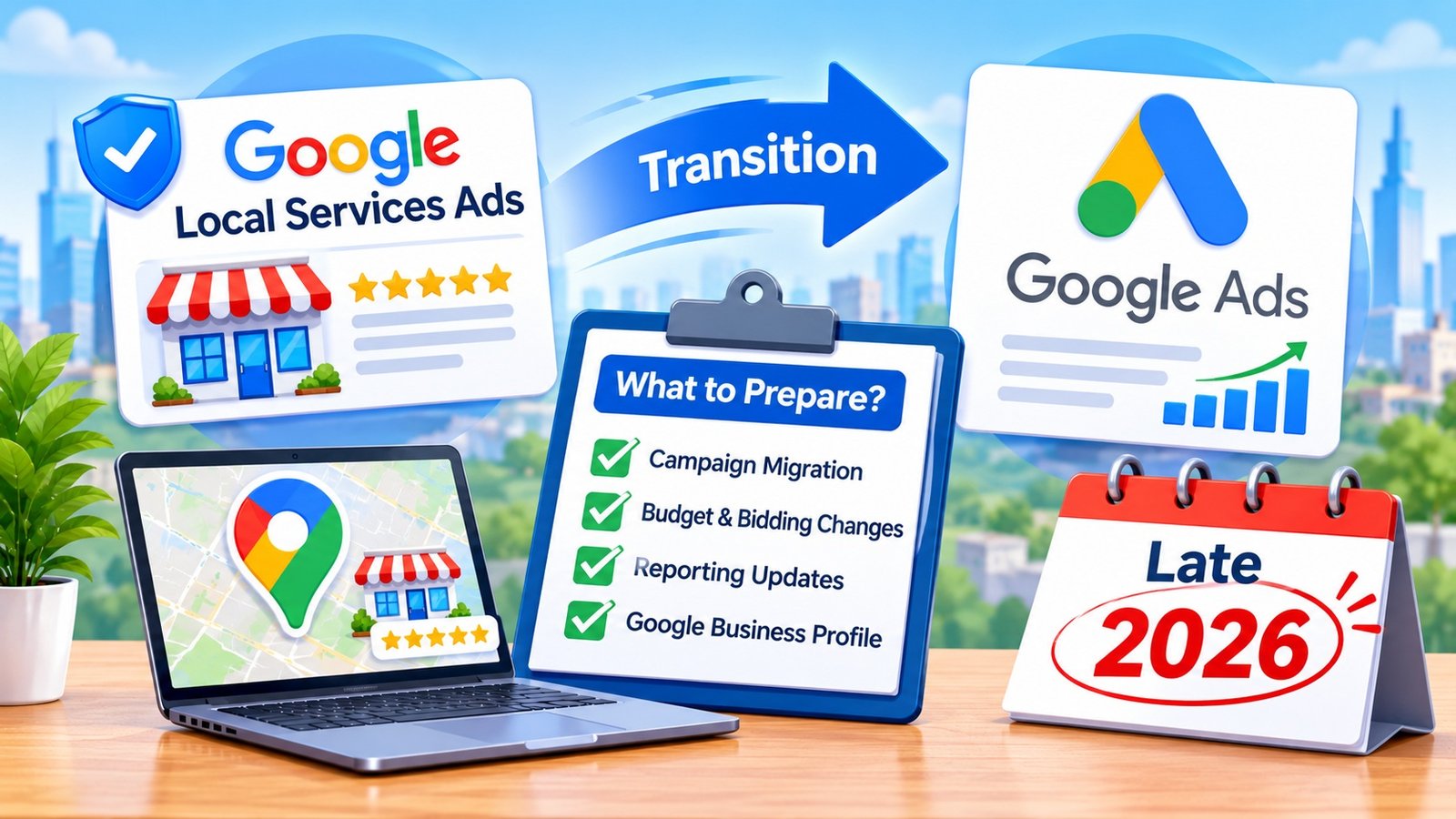
If your business relies on Google Local Services Ads to bring in calls and customer inquiries, an important change is underway.
Google is moving Local Services Ads campaign management into the main Google Ads platform. For plumbers, electricians, HVAC contractors, and other service providers, this means a different way to manage advertising budgets, customer leads, and campaign performance.
Google isn’t discontinuing Local Services Ads. It’s changing where businesses manage them. Businesses will still pay for valid leads rather than clicks, and their ads will continue appearing on Google Search and Maps.
However, some important settings and reporting features are changing. Here’s what service businesses need to know about the transition and how to prepare before their accounts move.
What’s Changing With Google Local Services Ads in Late 2026?
Google is transitioning existing Local Services Ads campaigns into a specialized version of Performance Max with pay-per-lead goals.
Unlike standard Performance Max campaigns, which can advertise across several Google platforms, these campaigns will continue appearing only on Google Search and Google Maps.
Businesses won’t need to rebuild their existing campaigns simply because of the transition. Google plans to transfer campaign settings automatically, including service categories, targeted locations, advertising schedules, and budgets.
The biggest difference is where businesses manage their advertising.
Instead of using a separate Local Services Ads dashboard, advertisers will manage campaigns, review leads, and adjust settings through Google Ads.
This brings local advertising management into one platform while maintaining the existing lead-based advertising model.
When Will Your Local Services Ads Account Move?
Google began the transition in August 2026 with selected U.S. home and storefront service businesses.
The initial phase included industries such as plumbing, HVAC, electrical services, appliance repair, roofing, pest control, house cleaning, lawn care, and moving.
The rollout expands during late 2026 to additional advertisers, including service-area businesses without physical storefronts and accounts with specialized bidding or booking configurations.
Google expects non-U.S. accounts and remaining business categories to transition during 2027.
Not every business will move at the same time.
Google says account administrators will receive an email approximately 14 days before their scheduled migration. A reminder follows seven days later, and businesses receive another notification after the process is completed.
What should you do now? Check which email address has administrator access to your account. Make sure someone responsible for your advertising regularly monitors that inbox.
What Will Stay the Same After the Transition?
Although the management platform is changing, several familiar features of Google Local Service Ads will remain.
You’ll Still Pay for Leads, Not Clicks
Local Services Ads use a pay-per-lead model.
Businesses pay for leads Google considers valid, including qualifying calls, messages, and eligible booking requests, rather than paying for every ad click.
That model continues after migration.
However, paying for a lead doesn’t mean the customer will book an appointment or purchase a service. Businesses still need an effective process for answering inquiries and following up with potential customers.
Your Ads Will Continue Appearing on Search and Maps
The transition doesn’t turn Local Services Ads into traditional Performance Max campaigns.
Your ads will continue appearing in their existing local placements on Google Search and Google Maps.
Businesses also won’t need to start managing keyword lists. Targeting will continue to rely on service categories, service areas, and relevant campaign settings.
Existing Verification Status Will Transfer
Businesses that have already completed Google’s verification process will retain their verification status during migration.
Eligible advertisers with the Google Verified badge will also have that status transferred automatically.
Google says routine insurance and license reverification won’t be required solely because of migration. However, additional verification may still be requested when necessary.
Four Important Changes Service Businesses Should Prepare For
If you track lead costs or work within a fixed advertising budget, pay particular attention to the changes below.
1. Your Historical Performance Reports Won’t Transfer
This is one of the most important details to understand.
Google says previous Local Services Ads performance reports won’t move into the new Google Ads interface.
That includes historical campaign metrics used to evaluate advertising costs and results.
Google says existing lead history will transfer to the new interface, while historical campaign performance reports won’t.
Before migration, save your historical performance data. If the report download option isn’t available yet, take screenshots of the metrics you need for future comparisons. For example, an HVAC company may want to keep its monthly advertising spend, total leads, and cost-per-lead figures to compare performance before and after the transition.
2. Weekly Budgets Will Become Daily Budgets
Local Services Ads advertisers accustomed to setting weekly budgets will see a different budgeting system.
Google will convert the existing average weekly budget into a daily average by dividing it by seven.
For example, a business spending $700 per week would receive an average daily budget of $100.
Google calculates the monthly spending limit using the daily average multiplied by 30.4. Actual daily spending can vary depending on demand.
After migration, review your budget settings to make sure they still reflect what your business can afford.
3. Some Bidding Options Are Being Removed
Google is also changing how bidding works.
Manual bidding options, including manually setting a maximum cost per lead, are being discontinued during the transition.
Separate target cost-per-acquisition settings for different service categories within one campaign are also being replaced by campaign-level bidding configurations.
This matters for businesses advertising several services.
For example, a contractor offering both plumbing and HVAC services may have different acquisition costs and priorities for each category.
Businesses that need separate bidding strategies may need separate campaigns for those services.
4. Lead Management Will Move Into Google Ads
After migration, businesses will manage customer inquiries through the Leads page in Google Ads.
The new interface will support reviewing lead details, responding to eligible message inquiries, providing lead feedback, and downloading lead information for use in customer management systems.
Business owners should familiarize themselves with this workflow before relying on it for daily operations.
A missed call or unanswered message can still represent a lost opportunity, regardless of which platform manages the advertisement.
Why Your Google Business Profile Matters More During the Transition
Google Business Profile plays an important role in the updated campaign setup.
Core business information, including your business name, address, and standard operating hours, will sync from your Business Profile into Google Ads.
This means advertisers should keep their Business Profile accurate rather than trying to maintain conflicting information across platforms.
Significant changes to a business name or physical address can also trigger additional verification. Google says these reviews typically take 24 to 48 hours, during which advertising may temporarily pause.
Before migration, review your business details and correct any outdated information.
Other advertising settings, such as service areas and ad schedules, can be managed independently in Google Ads.
How to Prepare Your Business Before Migration
Before your account moves, review your current settings and save the performance data you’ll need later.
Next, confirm that your account administrator’s contact information is correct. Review your advertising budget, service categories, and targeted locations to make sure they reflect your current operations.
Check your Google Business Profile for inaccurate hours, outdated addresses, or other business information that may require attention.
Finally, make sure the people responsible for answering calls and messages understand where customer inquiries will appear after migration.
Google advises allowing up to two weeks for campaign performance to stabilize following the transition. Avoid judging results solely by the first few days after migration.
Frequently Asked Questions
Are Google Local Services Ads Going Away in 2026?
No. Google is moving Local Services Ads campaign management into Google Ads through specialized Performance Max campaigns with pay-per-lead goals. The lead-based billing model and existing Search and Maps placements remain.
Will I Need to Create a New Campaign?
Existing campaigns will migrate automatically. Businesses generally won’t need to rebuild their current campaigns. Google will transfer supported settings, including service categories, locations, budgets, and schedules.
Will My Google Verified Badge Disappear?
No. Businesses that already hold the Google Verified badge will retain their verification status during migration, provided they continue meeting applicable requirements.
Can I Still Control My Advertising Budget?
Yes. Businesses will manage budgets through Google Ads. However, weekly budgets will convert into daily averages, and some existing bidding options will no longer be available.
What Happens to My Previous Leads?
Google says existing customer lead history will transfer into the new Leads page. Historical campaign performance reports, however, won’t automatically transfer, so businesses should save those records before migration.
Prepare Your Local Advertising for What’s Next
Google’s Local Services Ads transition changes how businesses manage their campaigns, but it doesn’t eliminate the advertising model many service providers already use.
The most important preparation involves protecting historical reporting data, reviewing budget and bidding settings, keeping business information accurate, and understanding the new lead management process.
If your company needs help managing Google Local Service Ads, 14K Business Solutions offers Google Local Service Ads services to help businesses plan and manage their local advertising campaigns.